

Annual leave software for small businesses
Spreadsheets are a terrible way to track annual leave.
You're wasting hours on a task that a simple tool could do in seconds. Put an end to all of the back and forth.
Start Your Free Trial★★★★★
Loved by modern teams everywhere
Team Toggle is the simple, affordable way to manage staff leave and PTO. Set it up in 60 seconds.
-
No install, any device
Nothing for IT to set up. Log in from a computer or phone.
-
One-click approvals
Your team books time off. Managers approve it in one click.
-
Shared team calendar
Everyone can see who's off and when.
What is annual leave software?
Annual leave software replaces the spreadsheet, wall chart or email chain you use to track staff holidays. Employees request time off online, managers approve it, and the software keeps every allowance, balance and bank holiday up to date, so you always know who's off and how much leave everyone has left.

One calendar. Zero surprises.
A shared team calendar that shows you who is off and when. No surprises. Plan projects with total confidence. It works on your phone, too.

Discuss requests, not just approve them.
Comment threads on every leave request replace the back-and-forth emails and Slack messages. Ask questions, get answers, and approve — all in one place. No context lost.

Let the team manage themselves.
Employees book their own leave and PTO. They see their own balance. They get their own notifications. You get your time back from endless admin.

Public holidays? Already handled.
Import public holidays for 35+ countries in one click. Designate company closure days. Your team's leave balances stay accurate without the manual work.
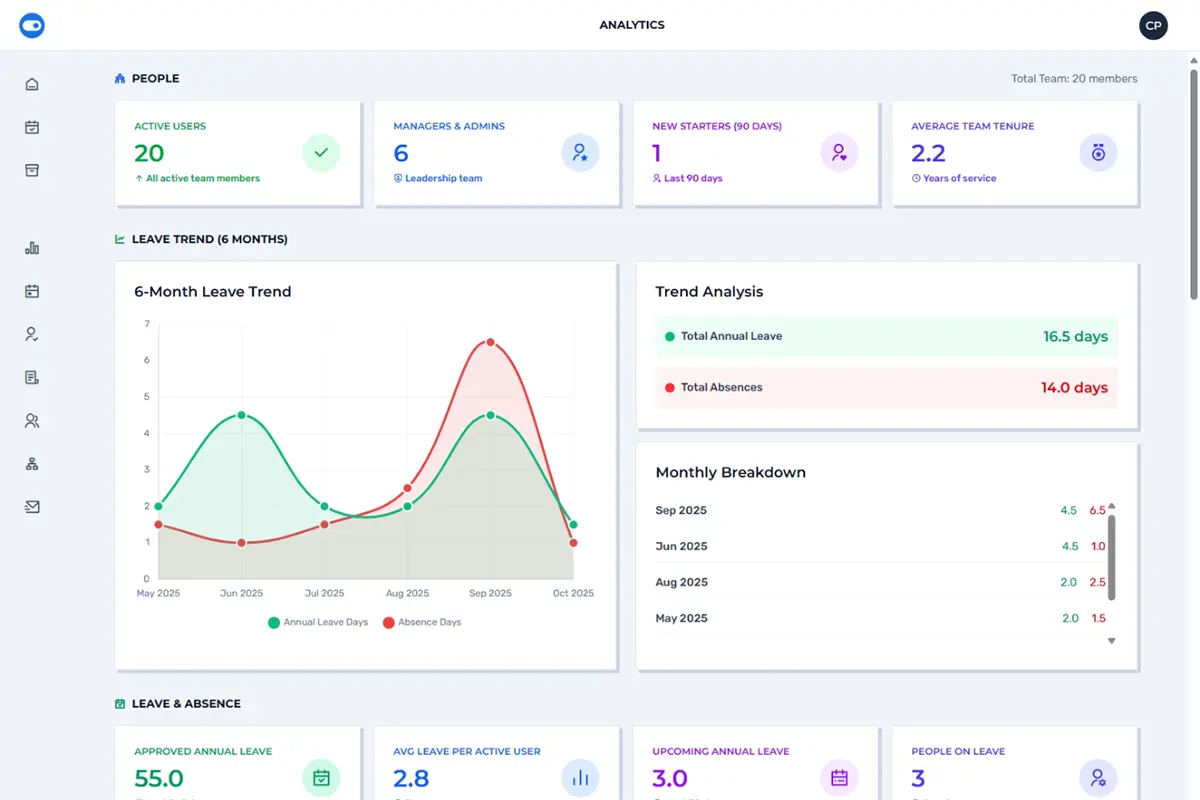
Stop guessing. Start knowing.
Powerful analytics that reveal leave patterns, spot potential burnout, and give you the insights to make better decisions. No spreadsheet gymnastics required.
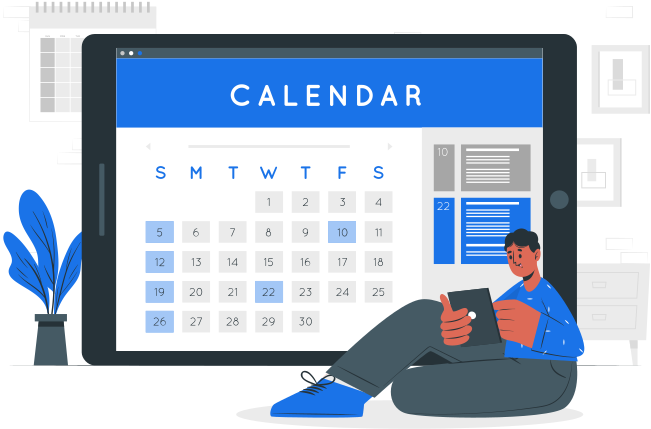
Your calendar already knows.
Subscribe to a live iCal feed and see your team's leave in Google Calendar, Outlook, or Apple Calendar. No switching apps, no copy-pasting — it just stays in sync.
Annual leave software vs a spreadsheet.
A spreadsheet is free, but someone has to keep it up to date. Here's what changes when you switch.
| Task | Spreadsheet | Team Toggle |
|---|---|---|
| Booking leave | Email or ask a manager, then someone updates the sheet | Employees request online, managers approve in one click |
| Remaining balance | Worked out by hand, often wrong | Always up to date, visible to each employee |
| Bank holidays | Typed in every year | Imported in one click, by country and region |
| Clashes | Spotted after the fact | Visible on the shared calendar before you approve |
| New leave year | A new sheet and a lot of copying | Allowances reset and carry over automatically |
| Records | Scattered across versions and inboxes | One place, with a full history of every request |
Not ready to switch? Our free annual leave spreadsheet template is a good place to start.
Simple pricing.
30-day free trial. No credit card needed. Choose monthly or annual billing.
One price for your whole team, not per user. Every plan includes every feature.
Simple, Affordable Pricing
Start free for 30 days, then choose the plan that works for you.
BASIC (10 users)
£9
PER MONTH
£79
PER YEAR
STANDARD (50 users)
£19
PER MONTH
£159
PER YEAR
PROFESSIONAL (100 users)
£29
PER MONTH
£239
PER YEAR
What people are saying.
"We tried other systems, but adoption was always an issue. Everyone uses Team Toggle without me needing to chase them. It just works."
– Amelia R., HR Manager
"Finally, a leave tracker that doesn't cost a fortune and actually works. Setup took minutes, not hours."
– James M., Managing Director
Frequently asked questions.
How much does Team Toggle cost?
Team Toggle is priced per team, not per user. There are three plans, for up to 10, 50 or 100 people, and every plan includes every feature. You can pay monthly or annually, and paying annually saves more than 25%. Prices are shown in your local currency on our pricing page.
Is there a free trial?
Yes. Every team gets a 30-day free trial with all features, and you don't need a credit card to start.
Can it handle part-time staff?
Yes. You can create separate leave policies for full-time and part-time staff, each with its own allowance and working week, and staff can book half days. New starters' allowance can build up from their start date, and managers can add or remove days from anyone's balance, for example for time off in lieu (TOIL).
Does it include bank holidays?
Yes. You can import public holidays for more than 35 countries in one click, including the different bank holidays in England and Wales, Scotland and Northern Ireland. You can also add your own company closure days, as full or half days.
Can unused leave be carried over?
Yes. Each policy can carry over unused leave into the next leave year, with an optional cap and expiry date. Leave years can start on a fixed date or on each employee's anniversary.
Do my staff need to install anything?
No. Team Toggle runs in any web browser, on a computer or a phone. Staff can sign in with their Google or Microsoft account, and there's nothing for IT to set up.
Can I cancel at any time?
Yes. Monthly and annual plans can be cancelled at any time, and your team keeps access until the end of the period you've paid for.
Free tools for managing leave.
Stop the spreadsheet madness.
Get your free 30-day trial. It takes 60 seconds to set up.
Start Your Free Trial